Celeris TV
Media Player
A fast, lightweight, and powerful local media engine built for Android TV and Fire TV. Stream your personal cloud media, home NAS, and local files in beautiful 4K.
⬇ Download Now — FreeFree · No account required · Sideload APK
Built for performance
Hardware Accelerated Playback
Advanced decoding optimises battery life and ensures smooth playback for massive 4K video files without software fallback.
Universal Format Support
Smoothly parses local containers and network streams including MP4, MKV, AVI, and TS files right out of the box.
Local Network Protocol Sync
Connect to your home NAS, personal cloud storage, or media server via standard network stream URLs.
Simple pricing
One-time · Lifetime licence
- ✓Fire TV & Android TV support
- ✓Hardware accelerated 4K playback
- ✓Universal format support
- ✓Connect to home NAS & cloud storage
- ✓Free updates forever
Free during beta — download below
How to install
Takes about 2 minutes. No account or app store needed.
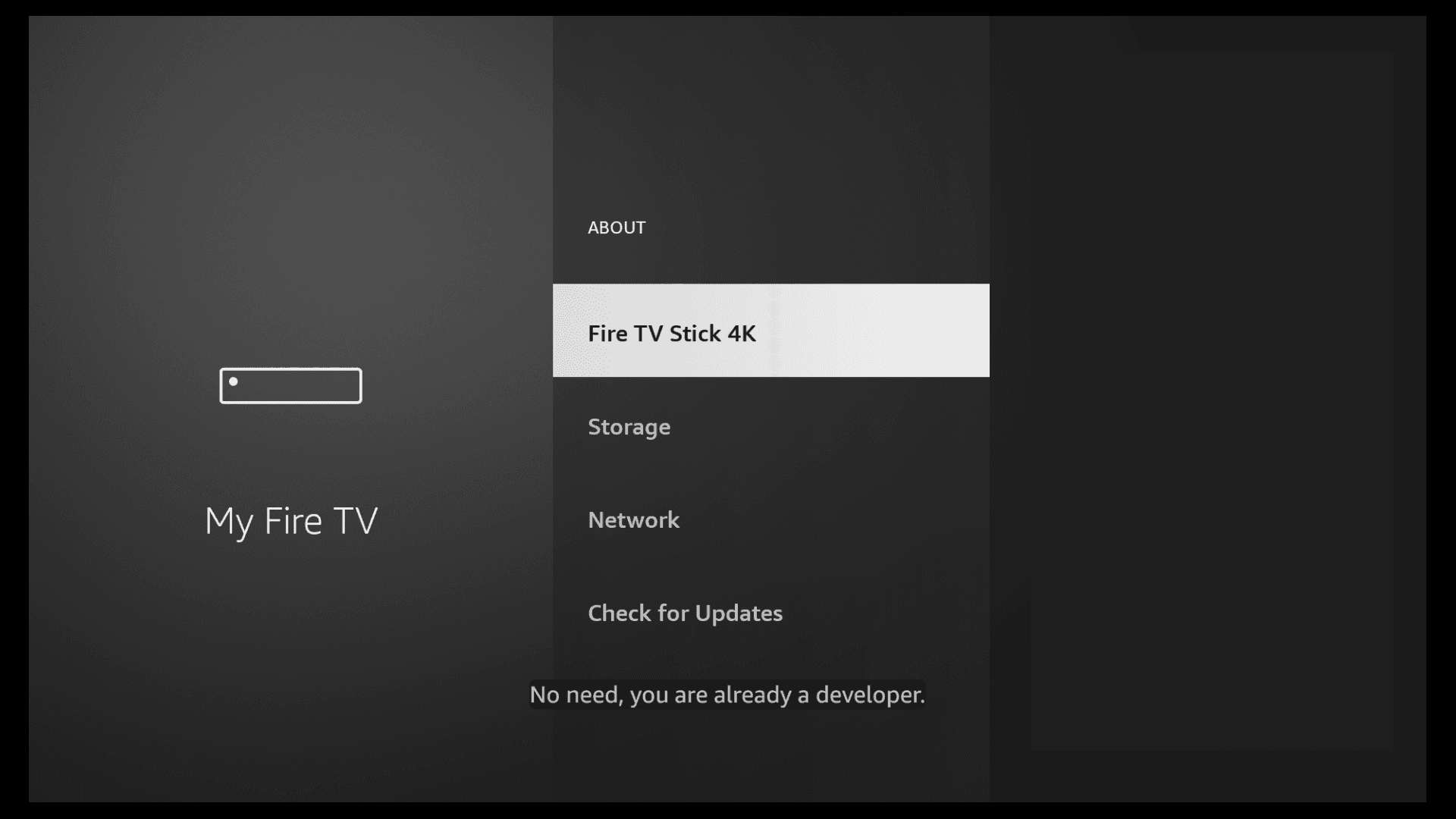
Enable Developer Mode
On your Fire TV go to Settings → My Fire TV → About and click on "Fire TV Stick" rapidly 7 times. You'll see a message saying "You are now a developer". This only needs to be done once.
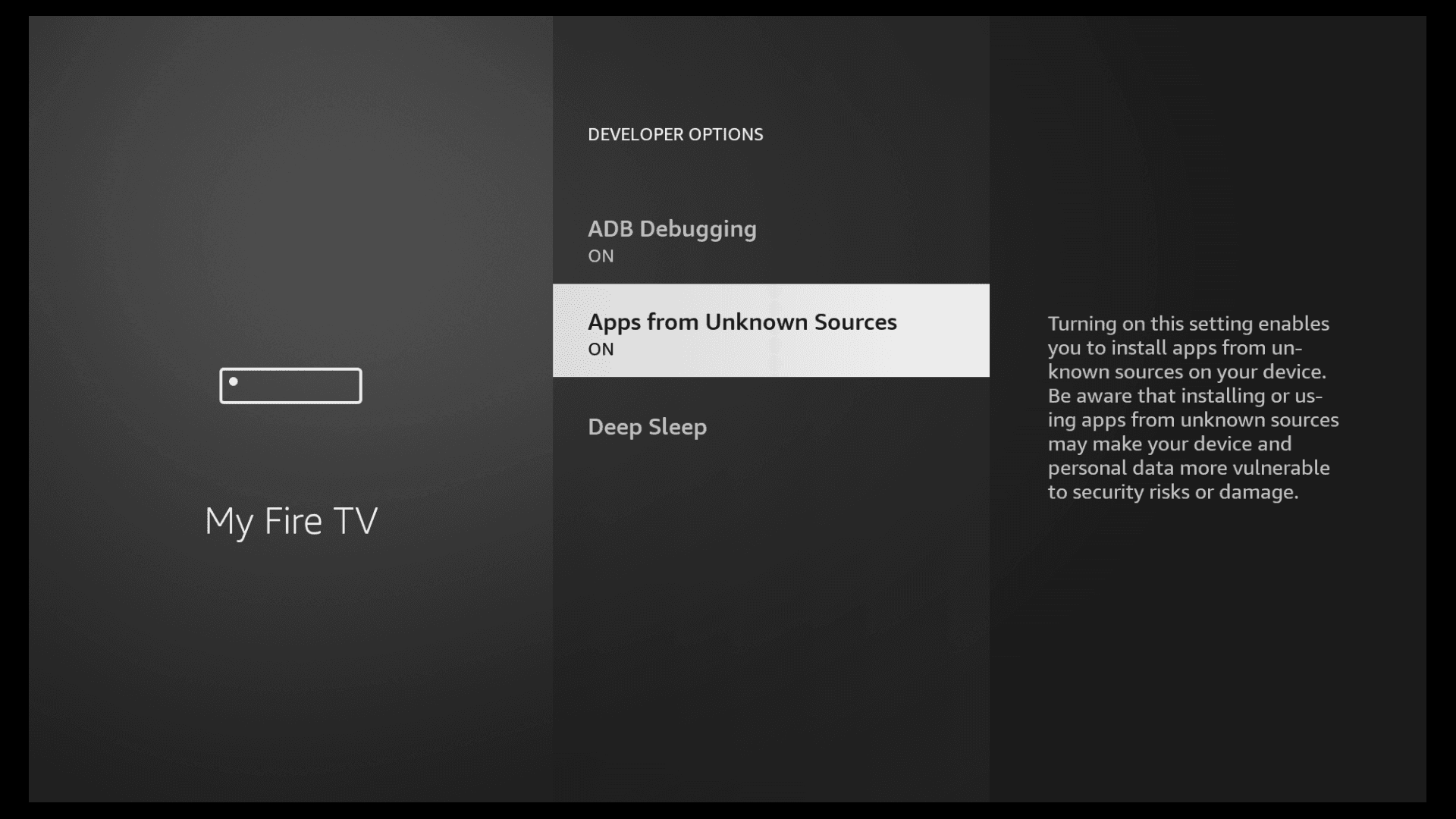
Allow apps from unknown sources
Go to Settings → My Fire TV → Developer Options and turn on "Apps from Unknown Sources". This allows you to install apps outside of the Amazon Appstore.
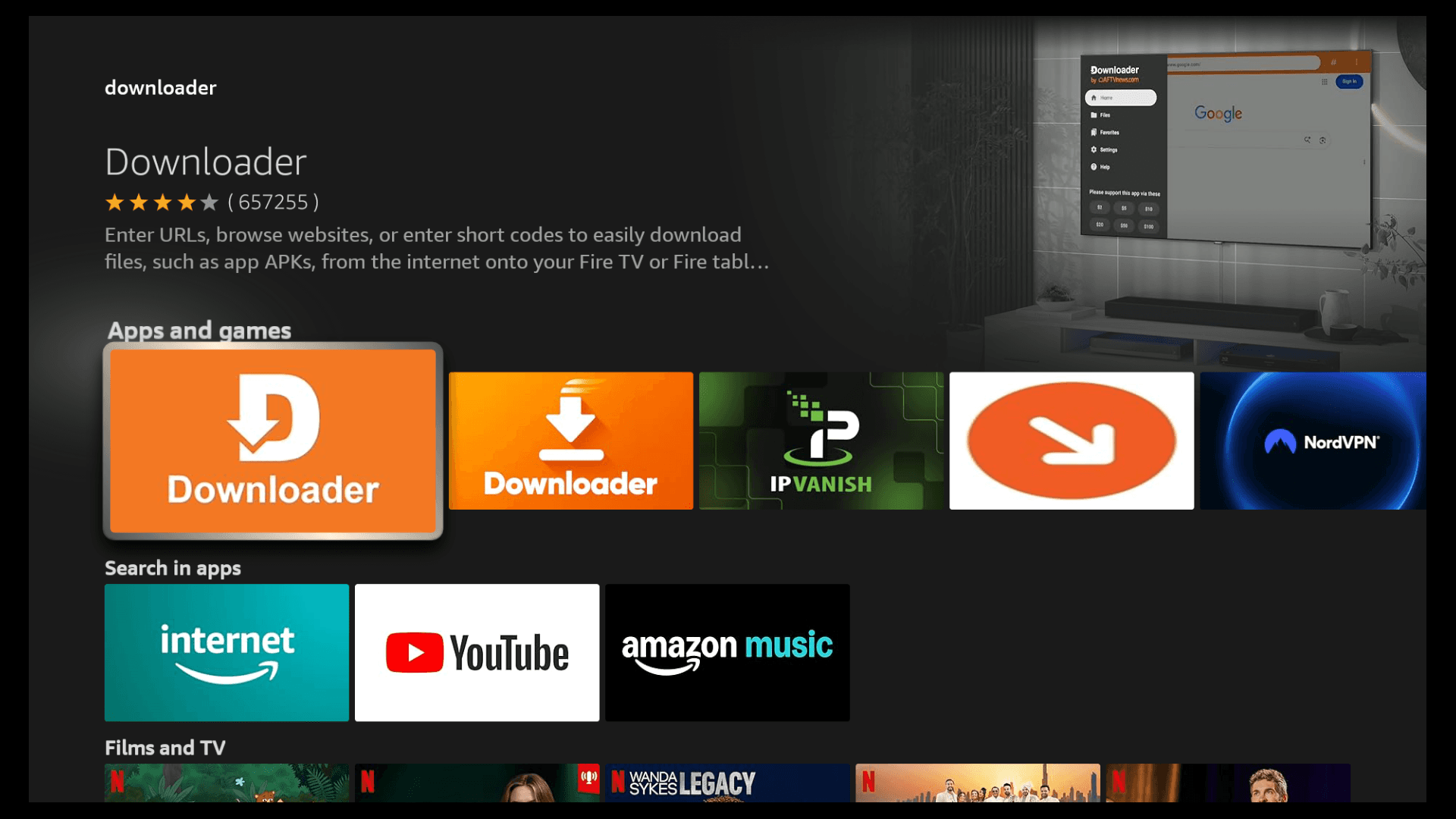
Install Downloader
Search for "Downloader" in the Fire TV app store and install it. This free app lets you enter a URL and download the CelerisTV APK directly to your device.
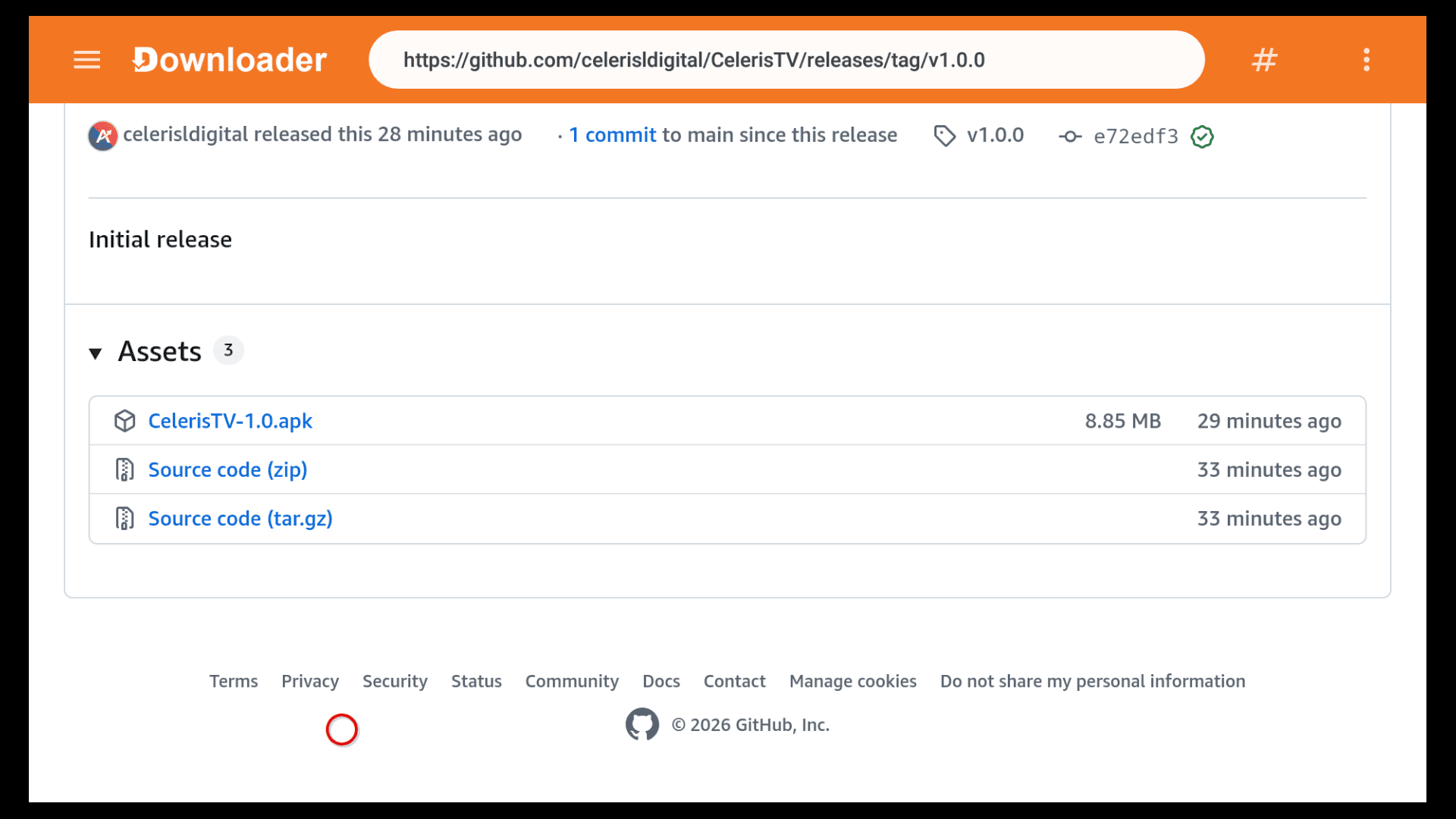
Download CelerisTV
Open Downloader and enter the following URL:
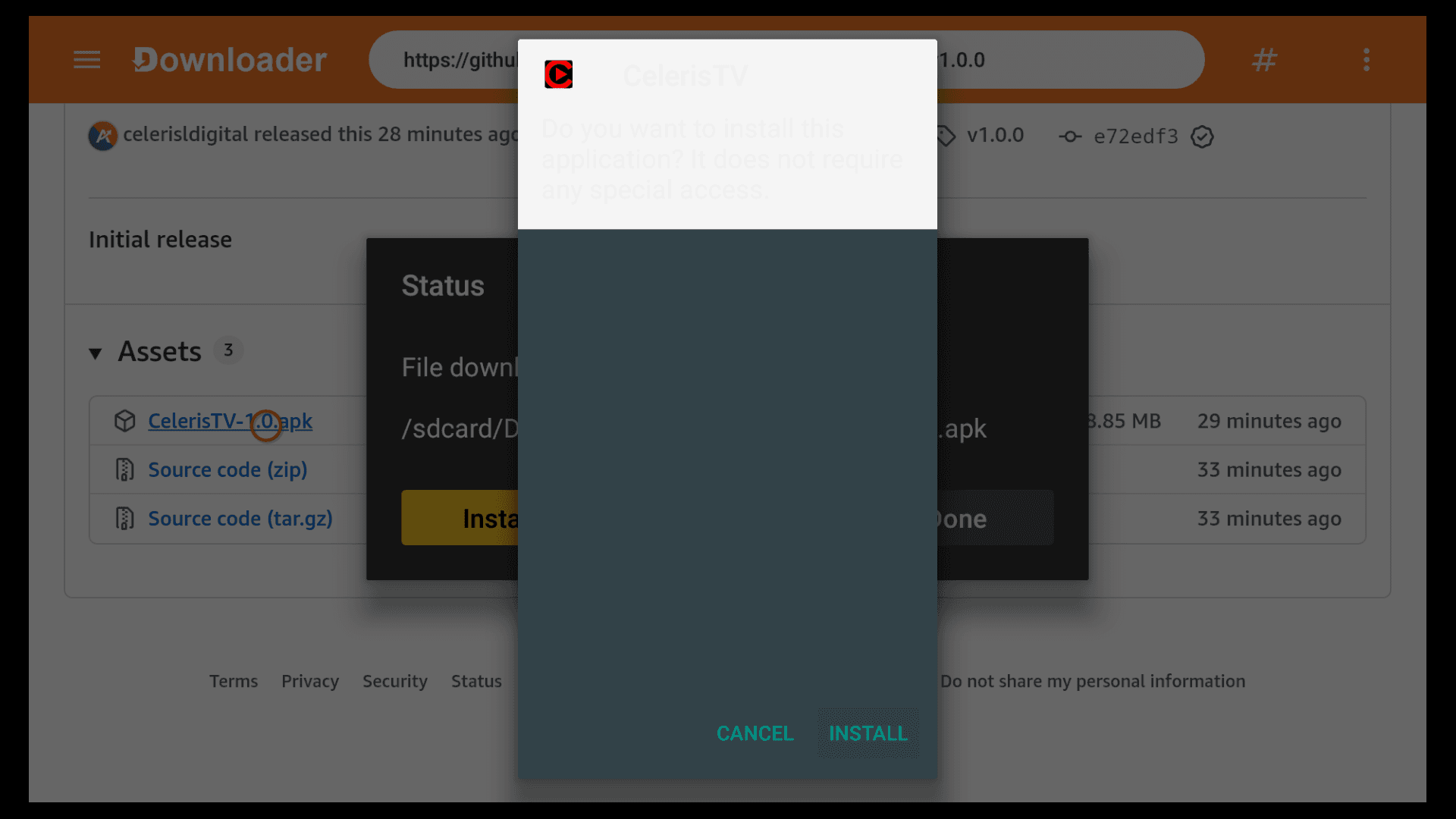
Navigate to CelerisTV-1.0.apk and click to download.
Install the app
Once the download completes, tap Install when prompted. The installer will confirm no special permissions are required.
You're in
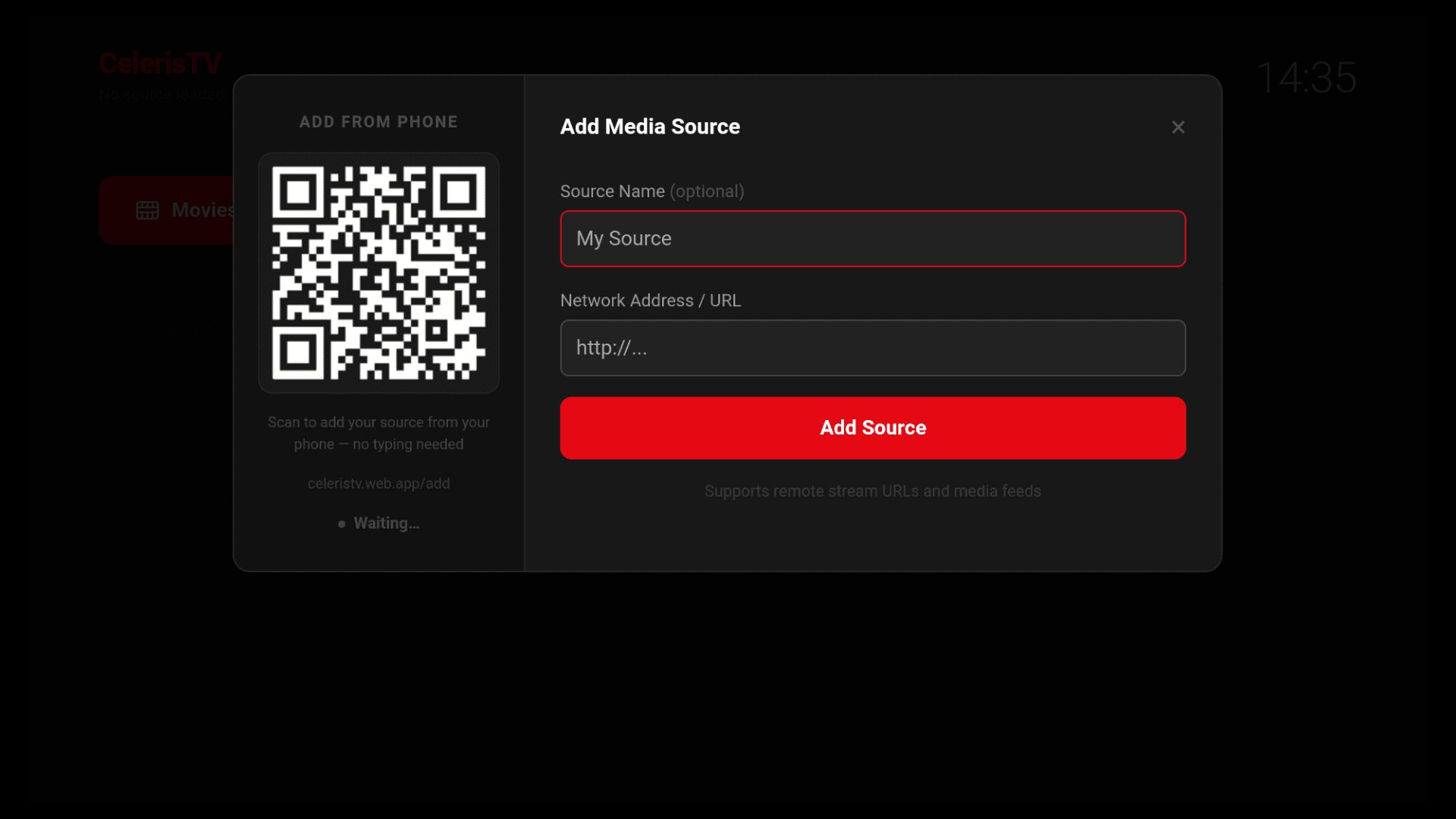
Launch CelerisTV from your apps list. Add your first media source using the Network Address / URL field and start watching.
⬇ Download CelerisTV — Free